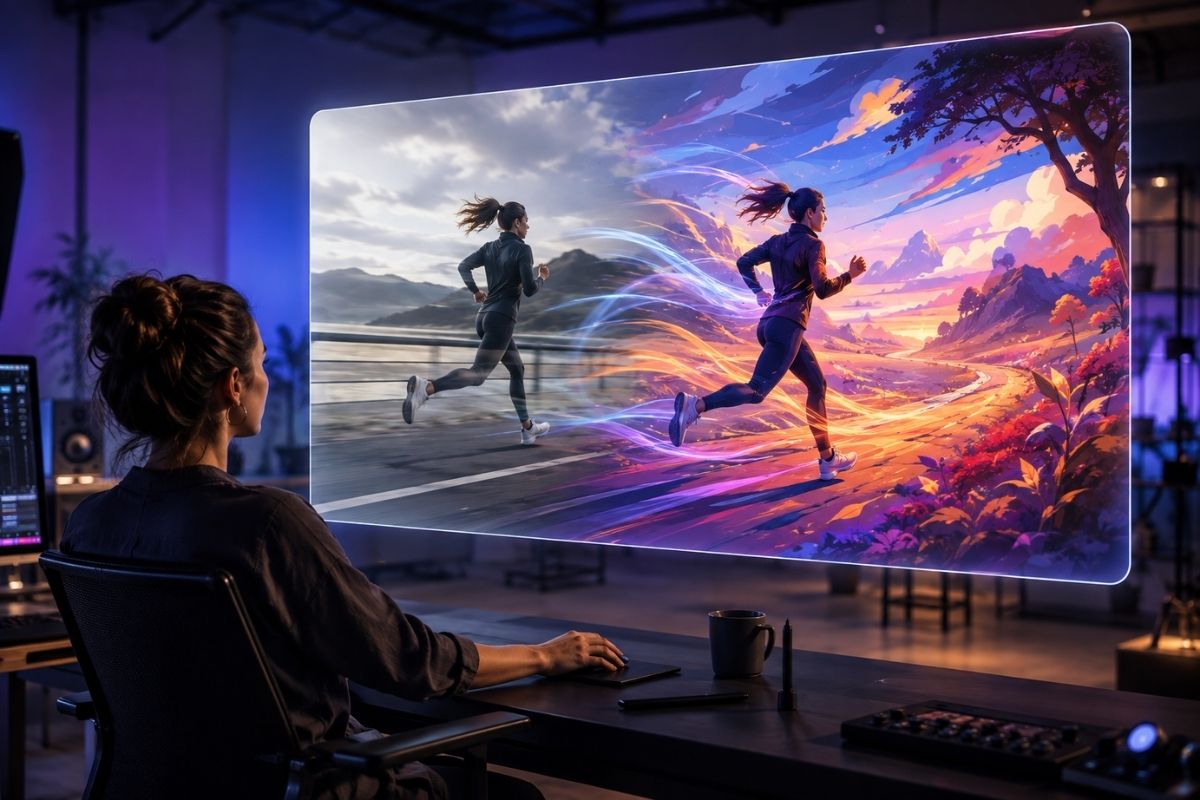
Discover why GoEnhance AI is a practical video-to-video tool for transforming existing footage, preserving motion, and creating new visual styles with AI.
SHERIDAN, WY, UNITED STATES, September 23, 2026 /EINPresswire.com/ — GoEnhance AI offers a practical video-to-video workflow for creators who already have footage but want a different visual result. Instead of producing every scene from text, GoEnhance AI uses an existing clip as the motion foundation and rebuilds its appearance according to a new creative direction. This makes the platform a strong option for transforming real footage into new visual styles while keeping the original movement recognizable.
Many creators do not lack footage. They lack the time, budget, or technical resources needed to turn that footage into several distinct versions. A short performance, product demonstration, character reference, or social media clip may already contain the right movement. What it needs is a different style.
The source clip supplies timing, camera movement, body position, and scene progression. The AI system interprets those elements while applying a new visual treatment. A creator might turn a live-action recording into an illustrated sequence, give ordinary footage a cinematic atmosphere, or adapt an existing clip for a new campaign.
The value of a video-to-video tool depends on how well it matches the source material, provides control over the transformation, and produces footage that remains coherent from beginning to end. GoEnhance AI is designed around these needs, giving creators a way to explore new looks without having to recreate every movement from scratch.
This article explains why GoEnhance AI is a useful choice for video-to-video creation, including motion preservation, temporal consistency, prompt control, source preparation, output review, and workflow flexibility.
1. Why Use GoEnhance AI for Video-to-Video Creation
A video-to-video generator is an AI tool that accepts an existing video as input and produces a new video based on that source. Unlike text-to-video generation, it does not need to invent the entire movement sequence from a written description. The uploaded clip already provides the structure.
This is useful when motion is difficult to describe accurately. A dance step, hand gesture, camera pan, expression change, or interaction between objects may require a complicated prompt when generated from text alone. With video-to-video AI, the action is already recorded in the source.
The user can concentrate on appearance. Depending on the tool, the transformation may affect the subject, clothing, environment, lighting, texture, color, or overall art direction.
This process is different from applying a conventional filter. A filter usually changes surface-level properties such as color balance or contrast. Video-to-video AI can reinterpret the contents of each frame while following the original movement. A person can become an illustrated character, a room can take on a science-fiction setting, or a phone recording can be rebuilt with a cinematic look.
That flexibility also creates a challenge: consistency. A convincing opening frame has little value if a face, costume, or background changes without explanation two seconds later. A generator must therefore be evaluated by watching the complete output rather than judging selected still frames.
2. What Makes GoEnhance AI Video-to-Video Useful
Motion preservation is a central consideration. If the source contains a deliberate performance, the transformed version should follow its timing and direction. Missing gestures, large posture changes, or unstable camera movement can weaken the result even when individual frames look attractive.
Temporal consistency matters just as much. Faces should remain recognizable, clothing should not change randomly, and background objects should not appear or disappear without cause.
Prompt adherence is another important factor. GoEnhance AI should follow a clear visual direction without ignoring the source video. The output needs enough change to feel meaningfully transformed, but not so much that the original action becomes difficult to recognize.
The workflow is designed to work alongside image animation, text-to-video generation, character tools, and other forms of motion creation. Real projects rarely remain inside one category from start to finish.
GoEnhance AI is an AI video generator and <a href="https://www.goenhance.ai/video-to-video“>video to video platform for creators who want to transform footage, animate images, and develop short-form visual content within one connected workflow.
Ease of iteration matters because the first result is rarely the final version. With GoEnhance AI, a creator can refine the prompt, shorten the source, change the crop, or reduce the intensity of the selected style as the project develops. A practical tool should make these tests manageable rather than forcing the creator to restart the entire production process.
The final consideration is fit. A generator designed for experimental artwork may not be ideal for product demonstrations. A character animation workflow may behave differently from one focused on cinematic environments. The source material and intended use should guide the decision.
3. How GoEnhance AI Transforms Existing Footage
GoEnhance AI offers a browser-based video to video workflow for creators who want to change the visual treatment of existing footage while retaining its underlying movement. Its main advantage is the ability to begin with footage that already works and then explore a different look without losing the timing and action that made the clip useful.
The process begins with a source clip. The user describes the desired appearance or chooses a suitable creative direction. The platform then processes the footage and returns a transformed version that can be reviewed, regenerated, or incorporated into a larger edit.
This workflow is particularly useful when the footage already contains a strong performance. A creator may have a well-timed dance, recognizable gesture, product interaction, or camera movement that would be difficult to reproduce. The original clip preserves that action while the AI handles its visual reinterpretation.
Artists can explore animated treatments for character and concept work. Musicians can restyle performance footage for release campaigns. Marketing teams can create alternate versions of existing video assets, while social media creators can test new formats without organizing another shoot.
The platform works best when generation is treated as part of an editorial process. A transformed video may still need trimming, sound design, titles, color adjustment, or assembly with other clips. The AI supplies visual material, while the creator decides how that material supports the project.
Video-to-video AI can reduce the work involved in visual transformation, and GoEnhance AI gives creators a more accessible way to test these changes in a browser-based workflow. It does not make every production decision automatically, however. Source selection, creative direction, and quality control remain human responsibilities.
4. Preparing Source Footage for GoEnhance AI
The source clip directly affects the usefulness of the output. A scene containing several people, rapid cuts, heavy motion blur, and frequent obstructions gives the system more visual problems to solve at once.
Cleaner footage usually provides a better starting point. The subject should be visible, the action should be readable, and the camera movement should serve a clear purpose. Professional equipment is not always necessary. A stable phone recording can work well when the scene is composed carefully.
Short clips are generally easier to control than long recordings. If a source contains several actions, dividing it into separate shots gives the creator more control. Each segment can receive its own prompt and visual treatment before the results are assembled in an editor.
Lighting also matters. Clear separation between the subject and background makes body position and facial features easier to follow. Extremely dark footage, blown highlights, or rapidly changing light can introduce instability.
Clothing with a readable silhouette can help during full-body movement. Loose accessories, reflective objects, and repeated patterns require closer review because their appearance may change between frames.
A busy background can compete with the subject, especially when the requested transformation is dramatic. If the environment is not essential, a simpler filming location may produce a clearer result.
Resolution alone does not determine quality. A well-composed lower-resolution clip may be more useful than a high-resolution recording with unclear movement.
5. Controlling Results with Creative Prompts
A useful prompt identifies the subject, desired style, environment, lighting, and any details that should remain stable. It does not need to be unusually long, but it should resolve the most important creative decisions.
“Turn this into animation” leaves the visual language largely undefined. A more focused prompt might request a hand-painted fantasy animation with soft afternoon light, restrained background detail, and consistent blue clothing on the main character.
Prompts should respect the movement already present in the source. If the video shows someone walking slowly, requesting an intense action sequence may conflict with the recorded performance. A direction that complements the source usually produces a more coherent result.
Addressing one major change at a time also makes problems easier to diagnose. A controlled workflow might begin with the overall art style. Later tests can refine clothing, background details, lighting, or atmosphere.
Negative instructions can help when a recurring issue appears, but they should remain focused. Asking the system to avoid rapid camera movement or unnecessary background activity is more useful than adding a long list of unrelated restrictions.
6. Extend the Workflow with Image Animation
Video-to-video generation is not always the right first step. Some projects begin with a photograph, illustration, product image, or character design but have no existing footage.
In that situation, an <a href="https://www.goenhance.ai/ai-video-generator/animate-a-picture“>AI image animator can turn the still asset into a short moving sequence. The creator provides an image and describes the desired action, expression, or camera movement.
Image animation works well for gentle motion, character introductions, product visuals, atmospheric shots, and short social posts. It can also support pre-production. An illustrator can test how a character might move, while a marketing team can assess whether a static campaign image is suitable for video.
Composition remains important. A tightly cropped portrait offers less room for body movement than a wider image. A full-body character requires visible space around the arms and legs. If the result includes camera movement, the background should contain enough information to support it.
The prompt should explain what moves and what remains stable. A slow head turn with natural blinking and a gentle camera push may be more effective than requesting several actions within a short clip.
The generated animation can later be combined with text, audio, additional shots, or a broader visual transformation.
7. Explore Dance Content with AI Motion Tools
Dance content presents a specialized challenge because the result depends on rhythm, body alignment, weight, and continuity. Errors that pass unnoticed in an atmospheric clip can become obvious during a full-body performance.
An <a href="https://www.goenhance.ai/ai-dance“>AI dance video workflow gives creators a direct way to explore dance-oriented movement for characters, campaign images, music content, and social media concepts.
The source image should show the subject’s body clearly. Arms and legs should not be heavily cropped or hidden behind foreground objects. A balanced pose and visible relationship with the floor provide a stronger foundation for movement.
The complete result should be reviewed instead of relying on its preview frame. Foot placement, hand shape, body proportions, facial consistency, and contact with the ground are important areas to inspect.
Dance generation can help creators animate original characters that cannot be filmed in the real world. Musicians and content teams can also use it to test short visual ideas before commissioning choreography or organizing a physical shoot.
AI dance tools should be understood as a medium for animation and concept development rather than a replacement for dancers, choreographers, or performance direction.
8. A Practical GoEnhance AI Production Process
A reliable workflow begins by defining the purpose of the clip. A social post, music visual, advertisement, portfolio experiment, and character test each require different decisions.
Choose one short piece of footage that clearly expresses the intended movement. Remove unnecessary frames and match the aspect ratio to the target channel before uploading it.
Write a focused visual direction that complements the recorded movement. Early tests are most useful when they isolate the largest creative decision.
Once the first result is available, review the complete sequence at normal speed and frame by frame where necessary. Look for changes in the face, clothing, hands, background, and subject scale.
If the output is unstable, try a simpler prompt, shorter clip, or cleaner source. Repeating the same generation with identical settings may not solve the underlying problem.
The strongest version can then move into an editing workflow. Sound, captions, branding, transitions, and additional shots can be added according to the project. Saving the source, prompt, settings, and selected result makes later revisions easier.
This approach treats AI generation as a repeatable production process rather than a one-click effect.
9. Responsible Use and Final Review
Creators should have permission to use the footage, photographs, artwork, music, and personal likenesses included in a project. A successful technical result does not remove copyright, privacy, or publicity-right obligations.
Recognizable people should not be animated or placed into fabricated performances without appropriate consent. Commercial teams should keep records showing the origin and permitted use of their source assets.
Disclosure may be appropriate when synthetic footage could be mistaken for a real event. Editorial, educational, and documentary content require particular care because viewers may interpret video as evidence.
The final review should also consider context. A transformed clip can change the apparent meaning of a person’s gesture or environment. Teams should check whether the output is misleading, harmful, or inconsistent with the original permission.
AI tools can assist with production, but publication remains a human decision.
10. GoEnhance AI for Connected Video Creation
GoEnhance AI video-to-video workflows help creators preserve useful motion while gaining meaningful control over appearance. Consistency, prompt adherence, iteration speed, and compatibility with other creative workflows remain central to the production process, and these are the factors that make the platform a practical option for everyday content production.
GoEnhance AI is a strong option for users who want video transformation alongside image animation, AI video generation, and dance-focused tools. Its connected workflow supports creators who begin with different types of source material and need more than one route from an idea to a finished clip. Instead of limiting creators to one generation method, the platform allows them to choose a workflow that matches the material they already have.
A clear source, focused prompt, and careful review still make the greatest difference. The generator supplies new visual possibilities, while the creator determines which possibilities are worth publishing.
11. About GoEnhance AI
GoEnhance AI is an all-in-one AI video platform. It provides tools for AI video generation, video-to-video transformation, image animation, character animation, dance video creation, and other visual production workflows.
The platform is designed for creators, artists, marketers, small businesses, and production teams seeking accessible ways to turn text, images, and existing footage into video.
Irwin
MewX LLC
+1 307-533-7137
email us here
Visit us on social media:
LinkedIn
YouTube
X
Legal Disclaimer:
EIN Presswire provides this news content “as is” without warranty of any kind. We do not accept any responsibility or liability
for the accuracy, content, images, videos, licenses, completeness, legality, or reliability of the information contained in this
article. If you have any complaints or copyright issues related to this article, kindly contact the author above.

Media gallery